The dashboard application
- Daily task planning and tracking
- Weekly task organization
- Recurring task management
- Task completion tracking
- Deadline and meeting organization
- Personalized productivity overview
Personal project · AI & Workflow Automation
From multiple commitments to one practical planning system. I defined the requirements and used ChatGPT to build and refine a dashboard around my daily and weekly workflow.
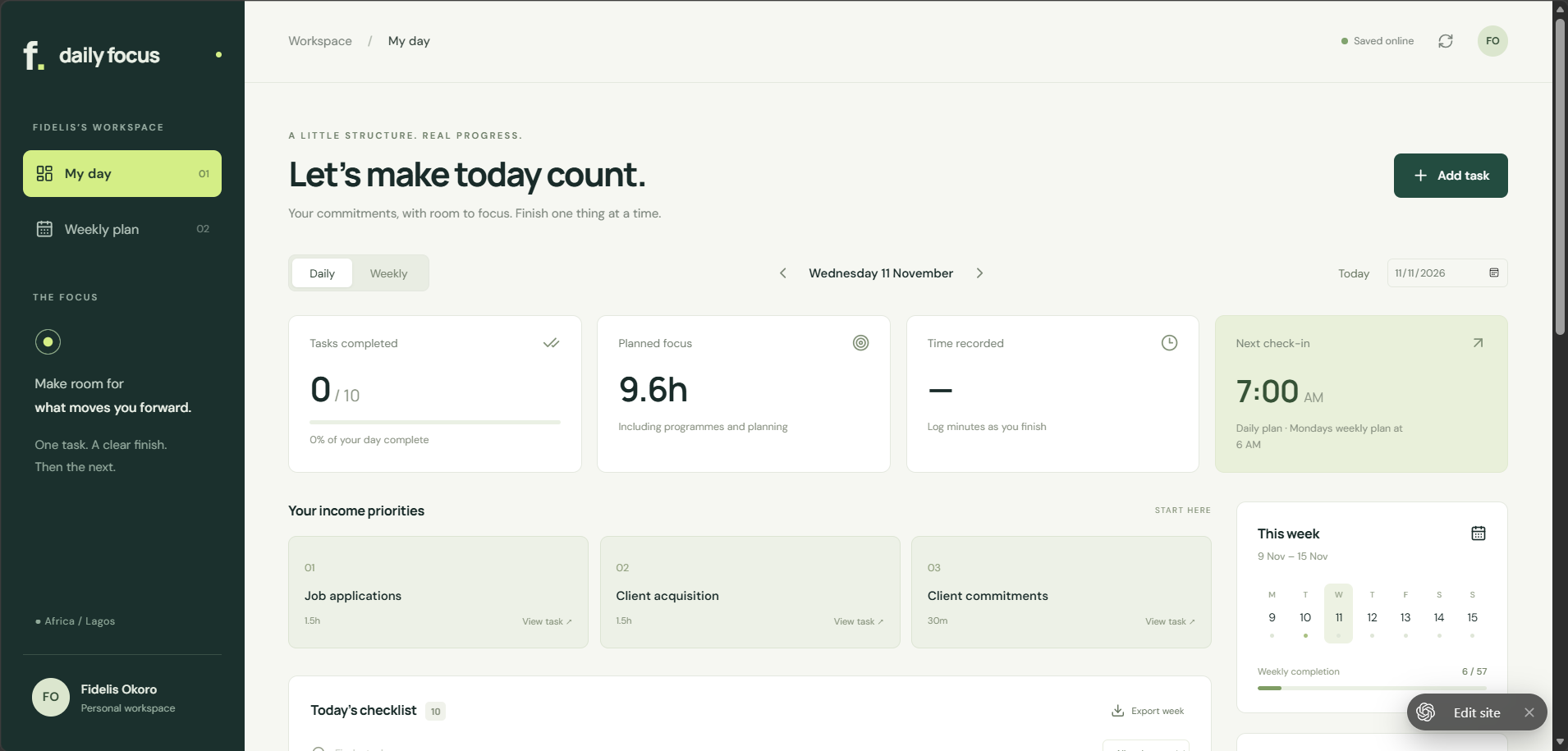
01 / Project overview
I designed and built a personalized productivity dashboard using ChatGPT to improve how I manage professional responsibilities, personal projects, meetings, and deadlines.
The project began with identifying the challenges of managing multiple commitments without a centralized system. I defined the requirements, planned the workflow, and used ChatGPT to build and refine a functional dashboard tailored to my daily and weekly productivity needs.
02 / The problem
Managing client projects, personal responsibilities, recurring tasks, and deadlines required a more organized and reliable system. I needed a centralized solution that would provide visibility into my priorities, simplify task tracking, and support accountability.
03 / My process
I guided the work from the initial requirements through AI-assisted building, interface review, and refinement around my actual workflow.
Mapped the productivity challenges across professional responsibilities, personal projects, meetings, and deadlines.
Specified daily and weekly views, recurring tasks, task completion, deadlines, and a personalized productivity overview.
Organized how tasks move from planning into a dated checklist, progress review, and the next week’s priorities.
Translated the requirements into prompts and used AI-assisted application building to create the dashboard.
Reviewed the interface and task-management flow, then refined the functionality around my actual daily and weekly needs.
Configured separate ChatGPT scheduled tasks for daily reminders and weekly planning. The dashboard remains the workspace for organizing and tracking tasks.
04 / The solution
The dashboard organizes tasks and progress. Separate scheduled tasks in ChatGPT provide the daily and weekly reminders that support my planning routine.
Both times are in Nigeria time (Africa/Lagos). These reminders are configured separately in ChatGPT; they are not a notification feature built into the dashboard.
05 / The outcome
Created a functional productivity management system that centralizes my responsibilities, supports structured planning, and provides a clearer overview of daily and weekly progress.
The dashboard demonstrates how AI-assisted development can turn an everyday challenge into a practical digital solution, from identifying a need and defining requirements to reviewing and refining the working result.
06 / Visual project showcase
Original screenshots show the daily overview, task checklist, weekly planning and completion summary, and task or meeting entry. Select a screenshot to enlarge it.
4 screenshots
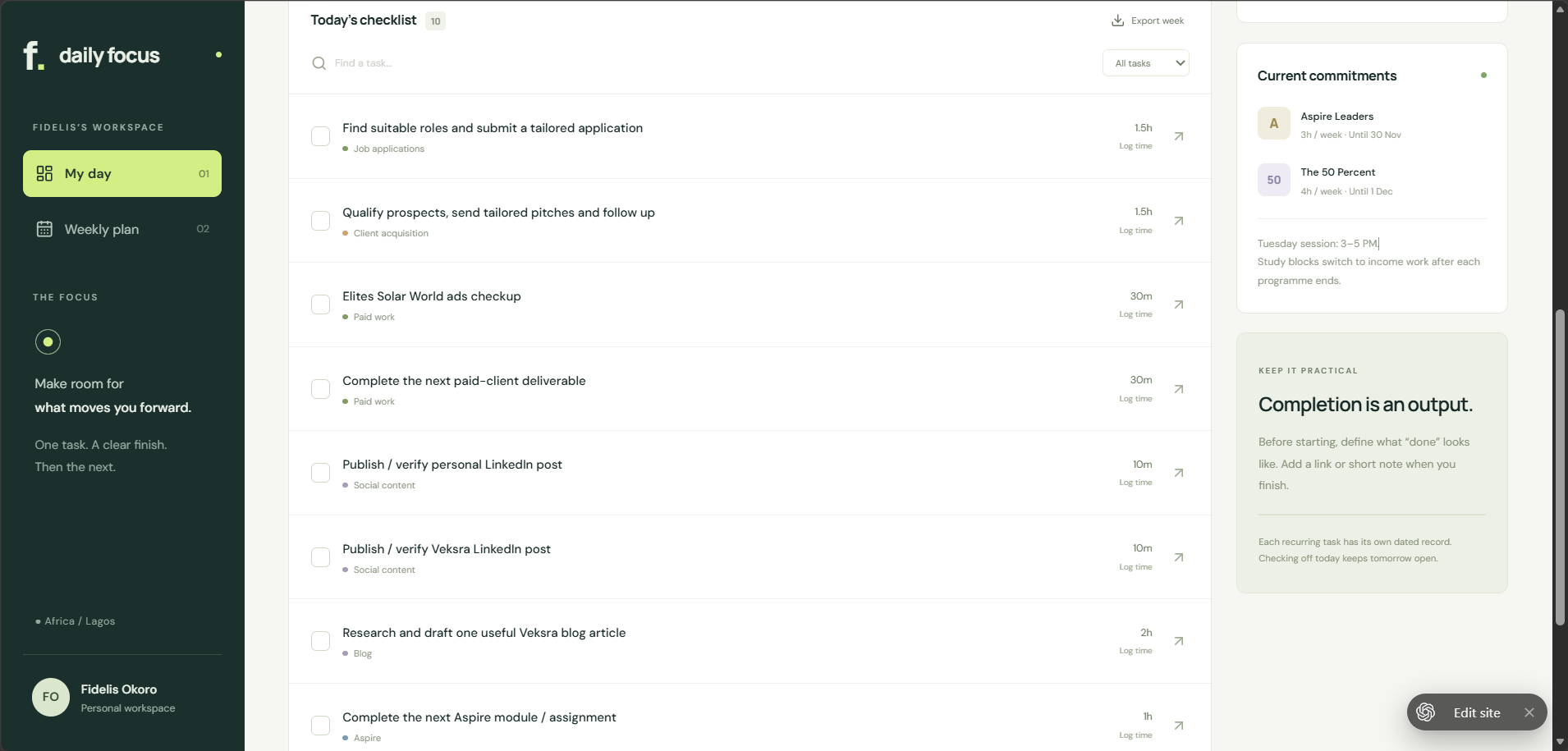
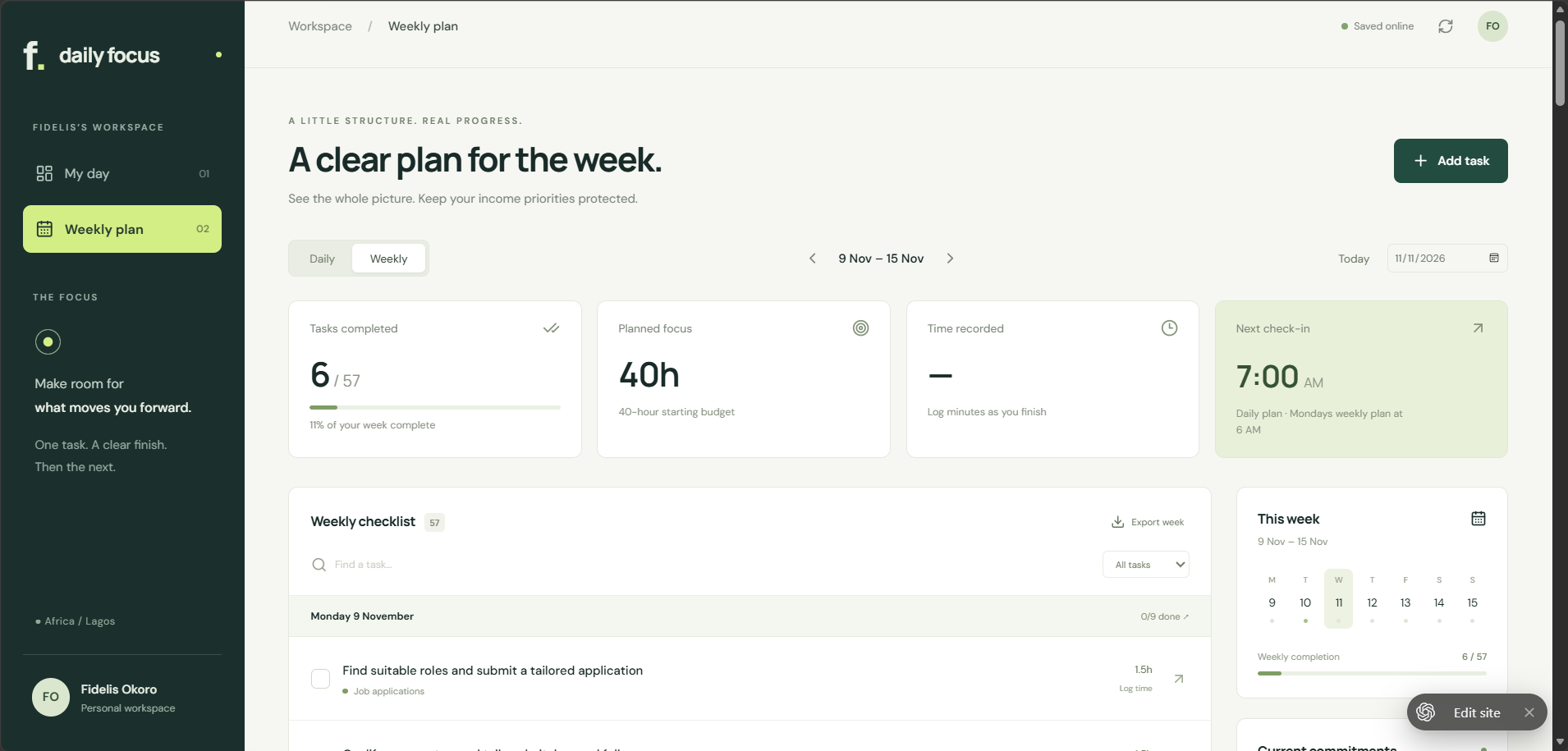
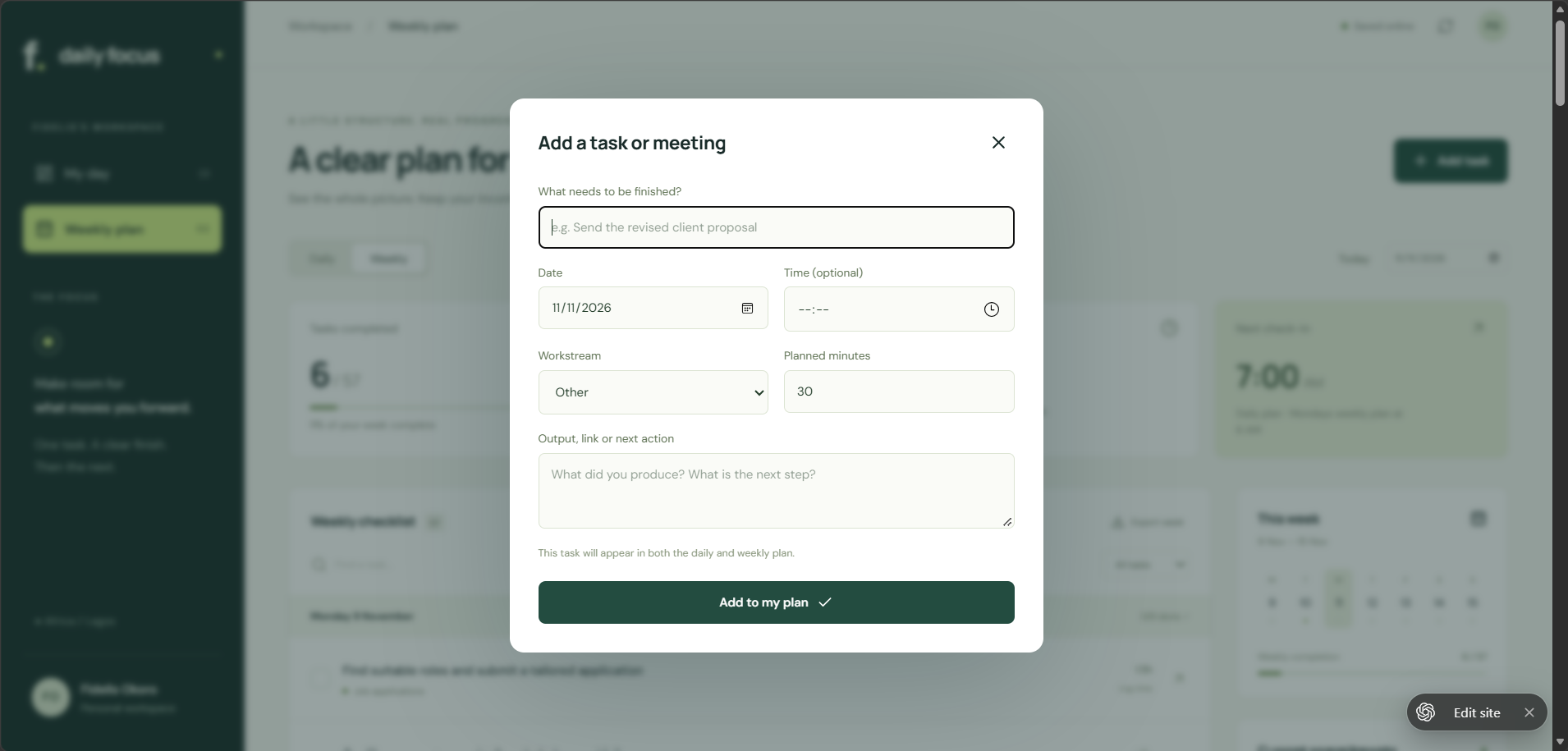
Original narrated screen recording with on-screen captions, showing the dashboard, task tracking, and task or meeting entry. Duration: 1 minute 47 seconds. The written case study and screenshots above also describe the workflow.
07 / Skills demonstrated
This personal project demonstrates how I identify a practical problem, translate it into functional requirements, and use AI-assisted tools to build a useful solution. It extends my work in digital marketing, SEO, communications, and strategy.